Your book in your pocket
Journzy on the phone is the companion to Journzy, the writing studio on the web, for iPhone and Android. You write your book in Journzy on the web, in a browser on a computer. The app never writes manuscript text, and the AI never writes your book. You write every word.
For iPhone and Android, with your Journzy account
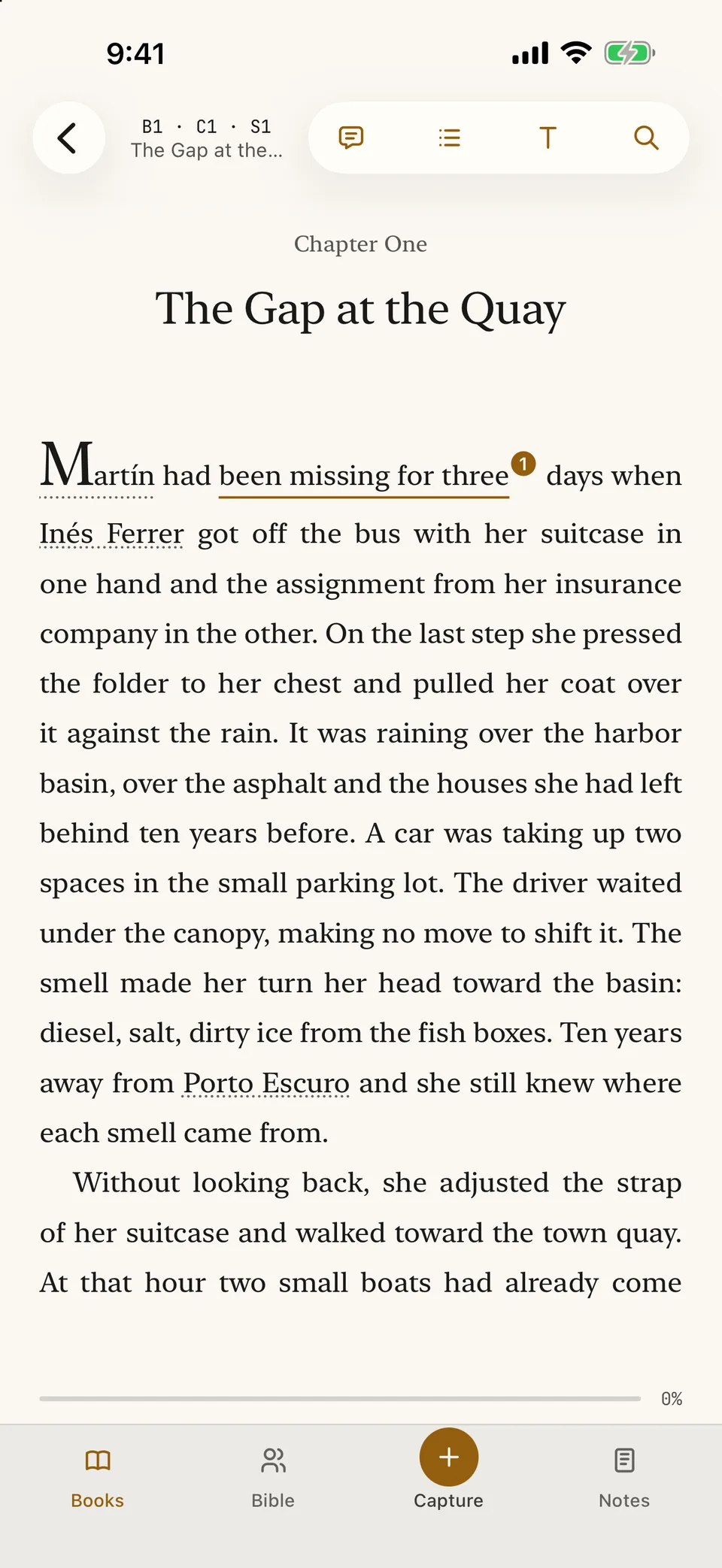
Read The Last Tide where you stopped, with names ready to tap. 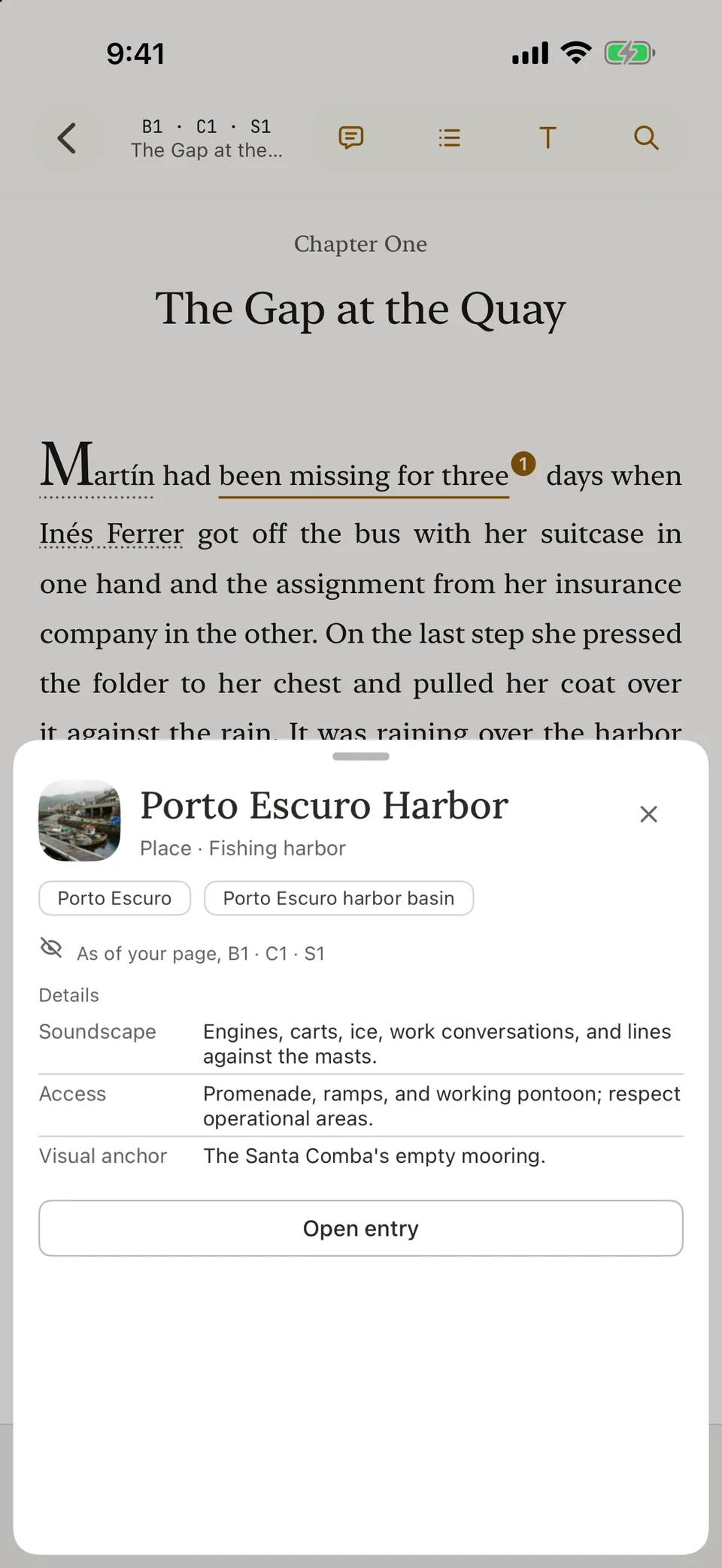
Tap a place name to see its entry as of the page you are on. 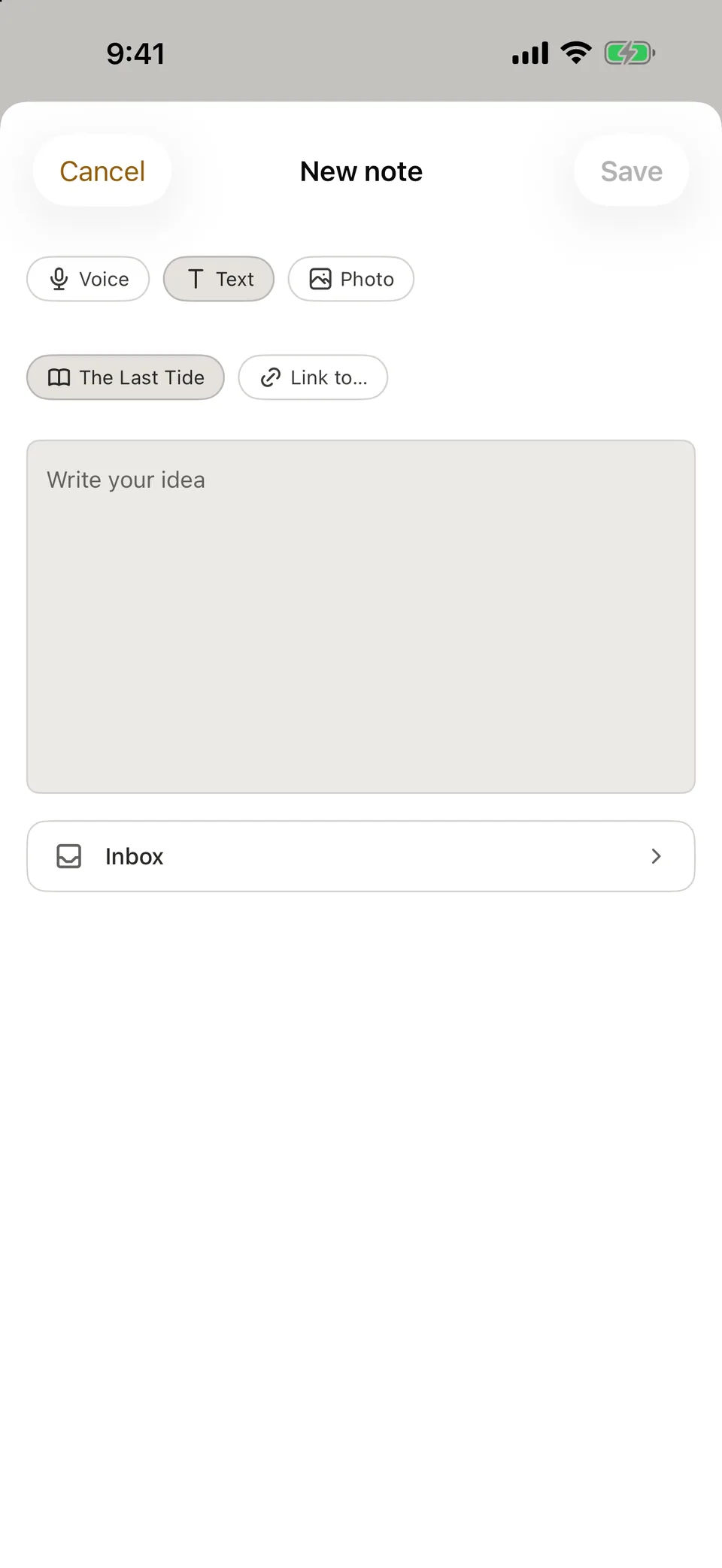
Start a note by voice, text or photo and send it to the inbox.
What the phone is for
Journzy on the phone is the companion of the writing studio, not a second place to write. On the phone you read your book, comment and highlight, open the story bible, capture notes, photos and voice notes, and review notes from checks. Writing the manuscript stays in Journzy on the web, where your books, story bible, comments and notes are the same.
Read your book on the phone
- Your projects and books, with the place where you stopped.
- Download a book and read it with no connection.
- Pages or Scroll, Paper, Sepia or Night, and your text size.
- Contents, a jump to any chapter, and search within the book.
Comments and highlights in your hand
Select a passage to comment on it or highlight it. Comments are the same as on the web, so you can reply, resolve and reopen each one. If you write with no connection, what you write is sent once when you are back online.
The story bible as of your page
Tap a name in the text to open its story bible entry as it stands on that page. Facts from later chapters stay out of sight, so rereading brings no spoilers of your own book. You can also browse characters, places, world entries and relationships. The story bible is on the phone too, so it works with no connection.
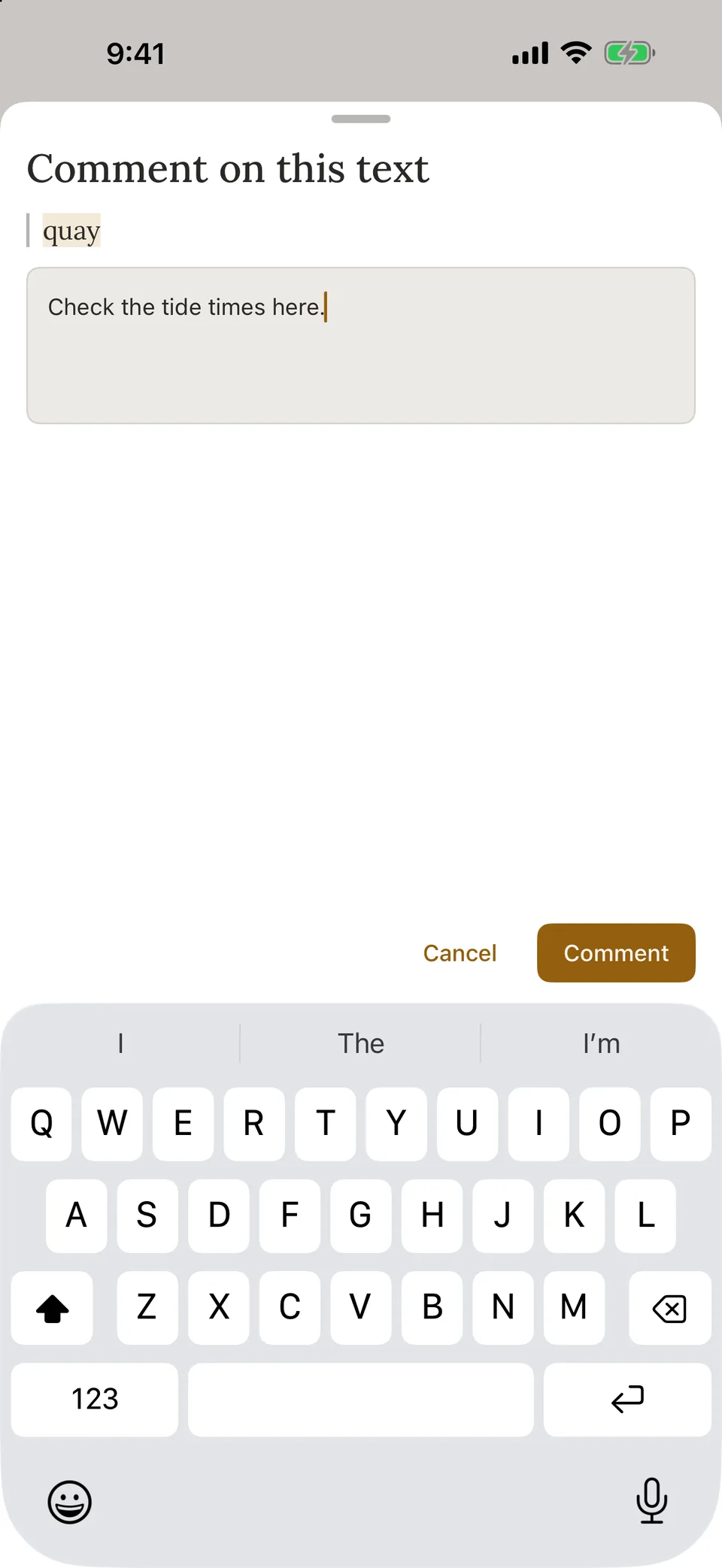
Select a passage and leave a comment for your next session on the web. 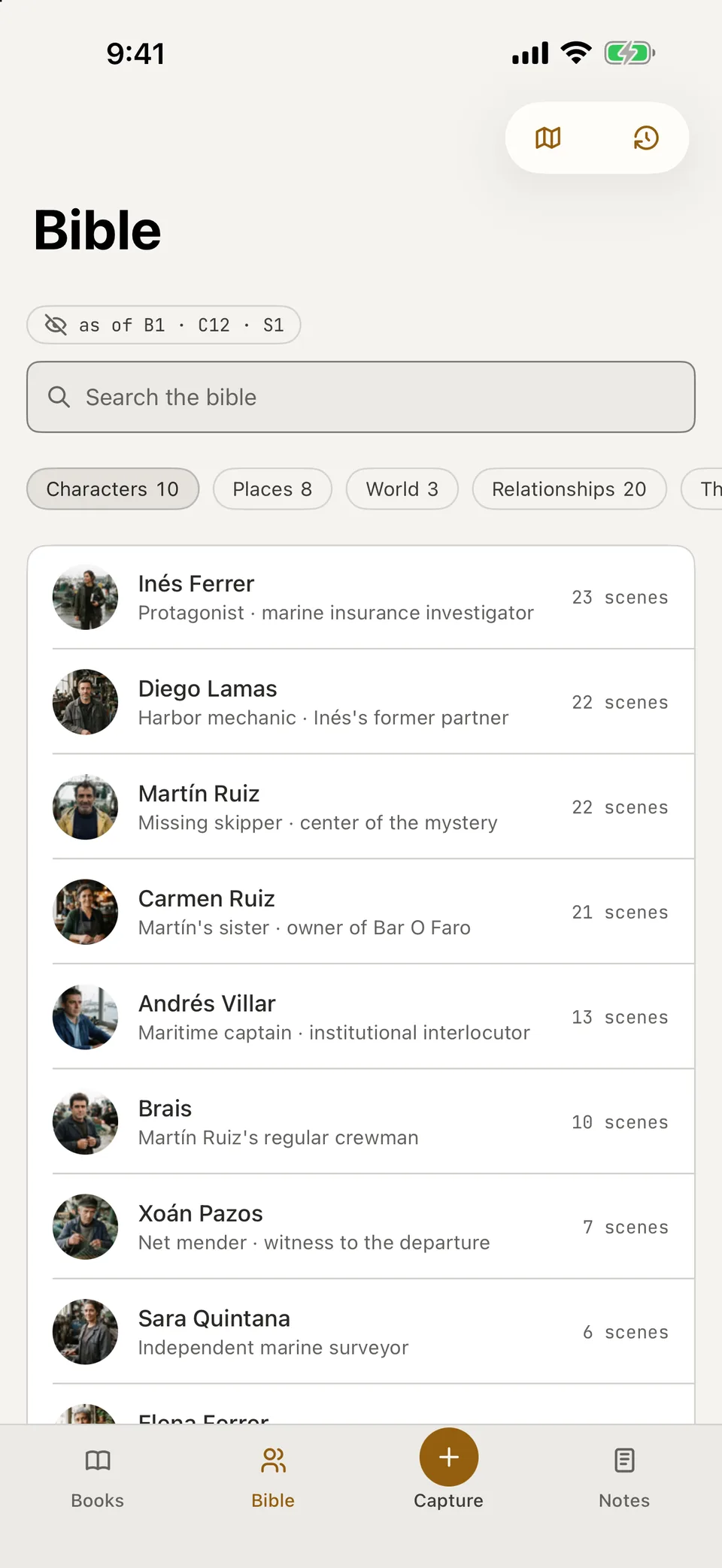
Browse characters, places, world entries and relationships offline. 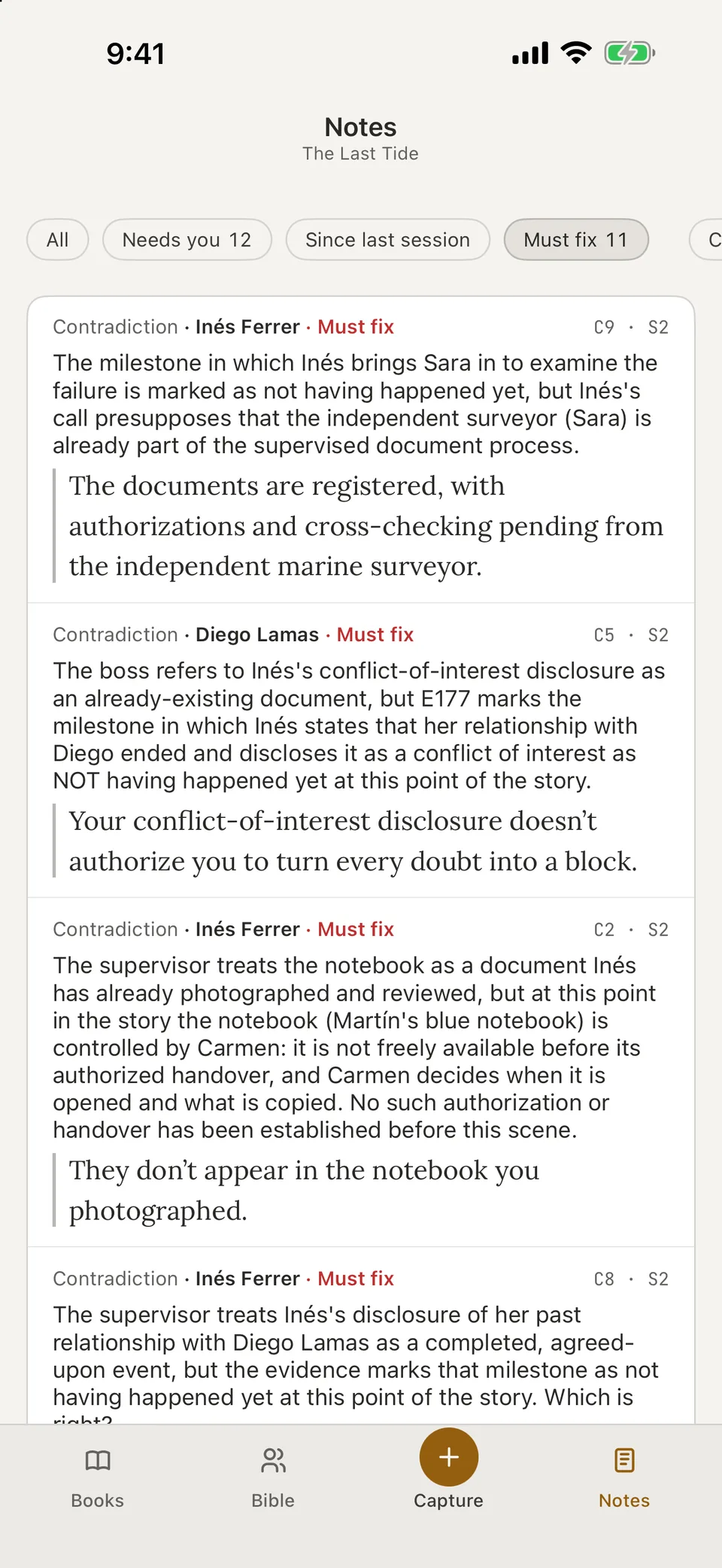
Decide on a note on the phone: Keep as written, Not a problem, Not now.
Capture an idea wherever it comes
Write a note, take a photo or record a voice note. A voice note is transcribed on your phone. The recording never leaves your phone. Only the text of the note goes to Journzy. You can also share a link or a photo from another app into Journzy. New captures go to the inbox, and Journzy on the web shows them with your references.
Talk and Tavern with your characters
Talk lets you talk with a character or with the story, at a point in the book you choose. Tavern brings several characters into one conversation. Every reply is marked as an AI answer and can be reported. Before the first AI request on a phone, a notice says where the text goes, and nothing is sent until you agree. Talk and Tavern belong to the Author plan.
Notes from the checks on your book
Notes holds the notes that Journzy checks have left on your book, with contradictions with the story bible and what needs a fix. Filter by Needs you, Must fix and Contradictions, then decide in the same words as on the web: Keep as written, Not a problem or Not now. You make each fix yourself, in the text, on the web.
Your account and your data
- The app is in English and Spanish.
- You can delete your account in the app.
- Usage statistics and crash reports stay off until you switch them on.
- The Free plan covers reading, comments and highlights, the story bible and capture. The Author plan covers Talk and Tavern.
Frequently asked questions
Which phones does it work on?
It works on iPhone with iOS 17 or later and on Android phones with Android 10 or later. You sign in with your Journzy account.
Can I write my book in the app?
No. You write your book in Journzy on the web, in a browser on a computer, and you write every word. The app has no manuscript editor and never writes manuscript text.
Does it work with no connection?
Yes, in part. Download a book to read with no connection, and the story bible works offline on the phone too. What you write with no connection is sent once when you are back online.
Which plan do I need?
The Free plan covers reading, comments and highlights, the story bible and capture. Talk and Tavern are part of the Author plan. Both use your same Journzy account.
Does the recording of a voice note leave my phone?
No. A voice note is transcribed on your phone, and the recording never leaves your phone. Only the text of the note goes to Journzy.
Related
A story bible that keeps up with your manuscript
A character database and series bible with aliases, appearance maps and facts that change over time. The Free plan never expires. Author adds Discoveries.
Find plot holes and continuity errors before your readers do
A continuity checker that reads each scene against your story bible and shows the quote behind every flag. Part of the Author plan, never rewrites your text.
Share one version with beta readers and editors
Share your manuscript with beta readers and editors: one exact version, comments on the exact passage, and 7, 30 or 90 days of revocable access.
A novel writing app built around your manuscript
A book writing app with chapters with or without scenes, project-wide search, offline writing and real-time co-editing. The Free plan never expires.